
Most hybrid meetings fail because the person at the far end of a long boardroom table feels like a spectator rather than a participant. Adopting the Kandao Meeting Pro 2 allows organizations to solve this by providing a 360° view that captures every participant with equal clarity. You’ve likely seen the frustration of remote staff missing subtle non-verbal cues or your IT team struggling with complex cable management before a critical presentation.
This guide explores how this device functions as a standalone meeting engine rather than just a peripheral. As a 360° conference camera specialist, we’ve seen how removing the laptop from the equation simplifies the user experience while ensuring everyone in the room is seen and heard. We’ll break down how to eliminate meeting inequity using AI-driven vision and a powerful 8-microphone array with a 5.5-meter pickup range.
We’ll also cover the benefits of local support and how this “plug-and-play” solution integrates with your existing platforms like Teams and Zoom. By the end of this article, you’ll understand why shifting to a room-first design is the most reliable way to modernize your business operations in 2026.
Key Takeaways
- See how 360° AI-driven vision and 4K HDR ensure every participant is seen and tracked, removing the disconnect felt by remote staff.
- Learn how Standalone Mode eliminates the need for room laptops by running meeting apps directly from the camera’s built-in operating system.
- Discover why the Kandao Meeting Pro 2 simplifies boardroom management by reducing complex cabling and technical friction.
- Identify the right setup for your specific workspace, from compact huddle rooms to medium boardrooms requiring wireless tabletop integration.
- Understand the value of local maintenance and live demonstrations to guarantee long-term reliability for your organization’s digital infrastructure.
Achieving Meeting Equity with 360° AI Vision
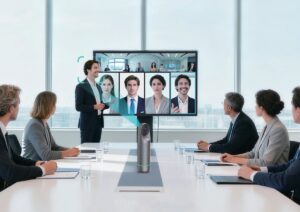
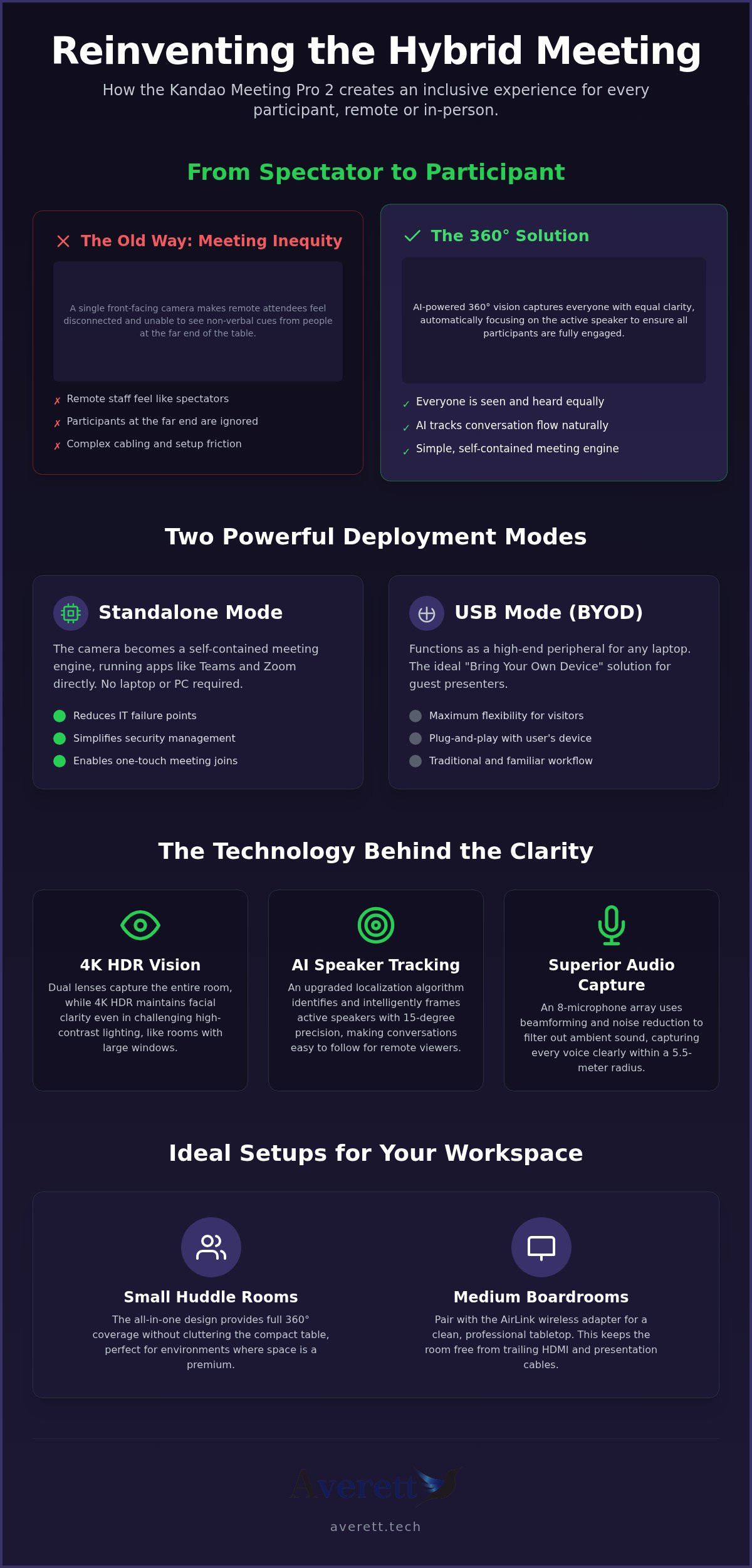
Standard video setups often leave remote participants feeling like they’re watching a movie rather than participating in a discussion. When you integrate the Kandao Meeting Pro 2 , you provide a 360-degree view that traditional PTZ cameras simply miss. This is fundamental to Achieving Meeting Equity within your organization. It ensures that the person sitting at the far end of a long rectangular table is just as visible as the one closest to the screen. By using a dual-lens system, the Kandao Meeting Pro 2 captures the entire room in 4K HDR, eliminating the “outsider” feeling for remote staff.
4K HDR and Intelligent Speaker Tracking
Offices often feature floor-to-ceiling windows that create challenging backlight conditions. The 4K HDR sensor maintains facial clarity even when the sun is streaming in, preventing participants from appearing as dark silhouettes. The device’s AI doesn’t just show the room; it understands it. An upgraded localization algorithm provides 15-degree precision, allowing the camera to automatically identify and zoom in on active participants. This means remote colleagues can follow the natural flow of conversation without a manual operator.
Audio Clarity with 8 Omnidirectional Microphones
Visuals are only half the battle. If the audio is muffled, the meeting’s productivity drops. The unit features an 8-microphone array with a 5.5-meter pickup radius, making it ideal for medium-sized boardrooms. These omnidirectional sensors use beamforming technology and noise reduction to filter out ambient office sounds like air conditioning or distant chatter. It focuses purely on the human voice, ensuring that every contribution is captured with professional-grade clarity regardless of where the speaker is seated.
Versatility in Deployment: Standalone vs. USB Modes
The Kandao Meeting Pro 2 Singapore offers two distinct ways to run a meeting, allowing organizations to choose the method that best fits their workflow. Standalone Mode is perhaps the most significant feature for modern offices. It utilizes a built-in Android operating system to run applications like Microsoft Teams or Zoom directly from the camera. This removes the need for a dedicated room PC or a staff member’s laptop, effectively turning the camera into a self-contained meeting engine.
For rooms where guest presenters frequently bring their own devices, USB Mode provides a traditional “Bring Your Own Device” (BYOD) experience. You simply plug the camera into a laptop, and it functions as a high-end peripheral. While this is flexible, many enterprise-level organizations prefer dedicated Teams meeting rooms for large-scale deployments where consistency and centralized management are the priorities.
Simplifying IT Support
IT managers often prefer Standalone Mode because it reduces the number of failure points in a boardroom. Since the software runs on a dedicated hardware appliance, there’s no risk of a user’s laptop having driver issues or insufficient processing power. It also offers security advantages; a locked-down appliance is significantly easier to manage within a corporate network than various transient laptops. One-touch join functionality further streamlines the process, ensuring meetings start on time without technical troubleshooting.
Wireless Collaboration with AirLink
To further reduce cable clutter, the AirLink wireless adapter allows for cable-free screen sharing. This is essential for maintaining a clean, professional boardroom aesthetic. The system maintains low-latency performance at less than 150ms, which is critical for ensuring that video playback and slide transitions remain fluid during professional presentations.
If you aren’t sure which mode suits your current office layout, you can speak with our specialists to explore a customized AV design.
Choosing the Right 360° Configuration for Meeting Space
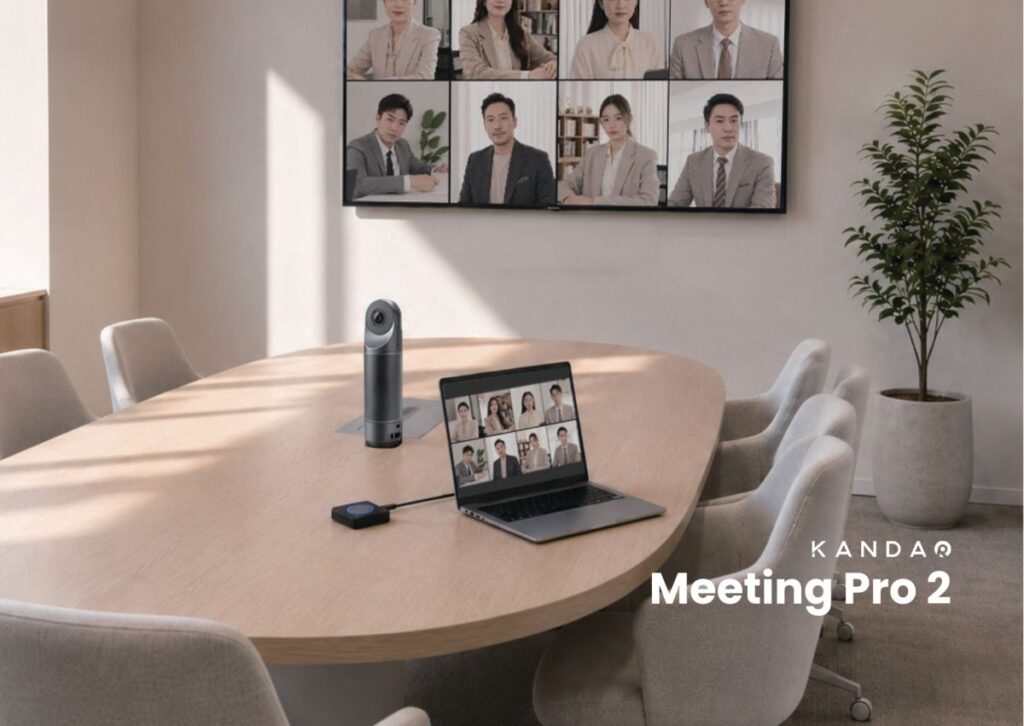
Matching hardware to room dimensions is the only way to avoid wasted investment. For small huddle rooms, the Kandao Meeting Pro 2 provides full coverage without cluttering the compact table. Its all-in-one design is perfect for these environments where space is at a premium. You get the benefit of the 360° view without the complexity of external sensors or multiple cables.
In medium-sized boardrooms, pairing the Pro 2 with an AirLink wireless adapter creates a clean, professional tabletop setup. This configuration handles longer tables effectively while keeping the center of the room free from trailing HDMI cables. It’s a practical choice for businesses that value a tidy workspace but need reliable performance for daily hybrid calls where clarity is non-negotiable.
When moving into larger executive suites or training rooms, daisy chain two units of Kandao Meeting Pro 2 with AirLink wireless adapter. In daisy chain mode, the video and audio will be synced across the two Kandao device, ensuring wider coverage and better perspectives from every angle.
The “See and Hear” Demonstration Process
Companies should always book a live demo to test AI tracking in their specific environment. It’s the best way to verify how the localization algorithm handles your team’s natural speaking habits and room acoustics. Testing interoperability with your existing UC platforms during this phase prevents integration headaches later. Seeing the technology in action helps you confirm it meets your specific operational requirements before committing to a full rollout.
Modernizing Your Hybrid Meeting Infrastructure
Adopting the Kandao Meeting Pro 2 is more than a hardware upgrade; it’s a commitment to meeting equity across your entire organization. By using 360° AI-driven vision and the security of a standalone hardware appliance, you remove the technical friction that often stalls collaboration. Whether you’re outfitting a compact huddle space or a high-stakes boardroom, selecting a configuration that matches your specific room layout ensures every participant is seen and heard with professional clarity.
As the exclusive Singapore distributor for Kandao Meeting Pro 2, Averett brings over 10 years of local support and bespoke AV design expertise to every project. We understand the nuances of office environments and provide the ongoing maintenance required to keep your digital infrastructure running reliably. Testing these systems in your own environment is the most effective way to see how they integrate with your current UC platforms and workflows.
Book a live demonstration of the Kandao Meeting Pro 2
We look forward to helping you build a more inclusive and efficient workplace through specialized 360° conferencing technology.
Frequently Asked Questions
Does the Kandao Meeting Pro 2 work with Microsoft Teams, Zoom, Google Meet and other major VC platforms?
Yes, the Kandao Meeting Pro 2 is fully compatible with Microsoft Teams, Zoom, Google Meet, and other major video conferencing platforms. You can run these applications directly from the device in standalone mode or use it as a peripheral in USB mode. This flexibility ensures your organization’s existing software subscriptions remain fully functional without needing additional hardware or licenses.
What is the difference between Standalone Mode and USB Mode?
Standalone Mode allows the camera to function as an independent computer by running meeting apps on its built-in Android OS. You only need to connect it to a display and the internet to start a call. USB Mode requires you to plug the device into a laptop; it then acts as a high-quality 360° camera, microphone, and speaker for a traditional “Bring Your Own Device” setup.
How many people can the Kandao Meeting Pro 2 track simultaneously?
The built-in AI chip identifies all participants in the room and can show up to eight active speakers simultaneously. It uses an 8-microphone array to localize sound within a precise 15-degree margin.
Is there local support and warranty for Kandao products in Singapore?
Yes, Averett provides comprehensive local support and a standard manufacturer’s warranty as the Singapore distributor. This ensures that any technical issues are resolved quickly by a local team.

Article by
Averett Pte. Ltd.
Disclaimer
All trademarks, product names, and brand assets mentioned in this article are the property of their respective owners. We are an authorized distributor/partner and reference them solely in that capacity.